Formerly Any Video Saver
Download any video
to your iPhone
Save videos from any website, then keep them playing in the background. Screen off, app closed.






Save videos from any website, then keep them playing in the background. Screen off, app closed.
Video Saver PRO+ is the best video downloader on iPhone. It pulls video off every site: YouTube, X (Twitter), Facebook, Instagram, TikTok and a thousand more.
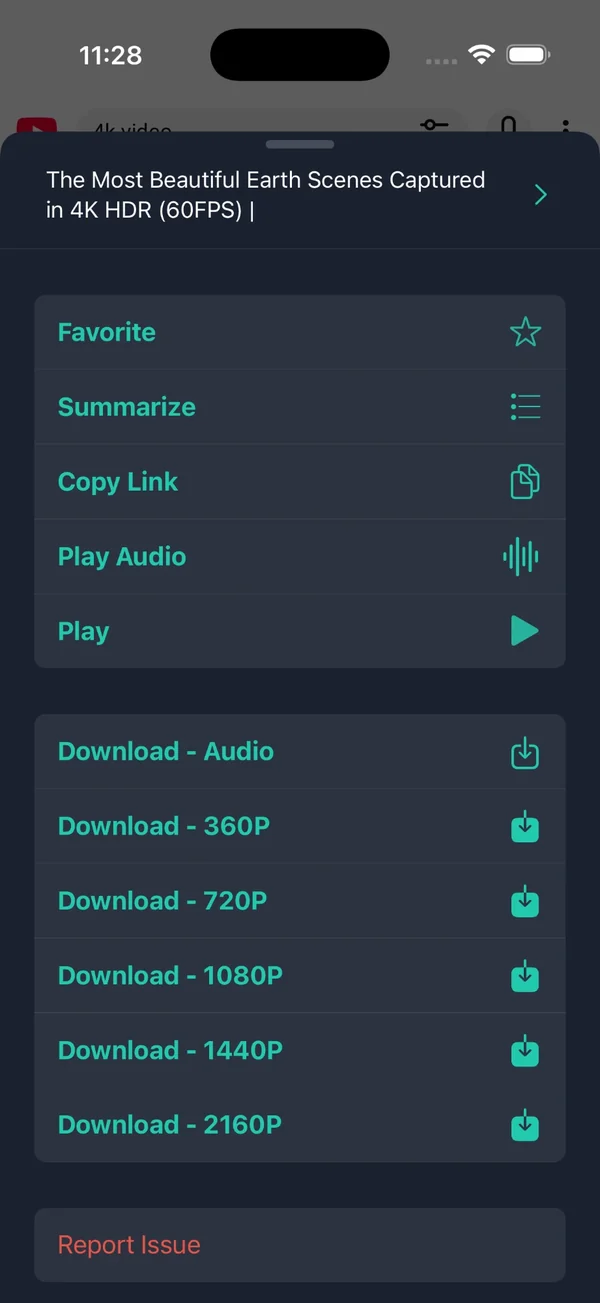
Open any site in the built-in browser and the download button appears, for MP4 and M3U8 streams, up to 4K. New to this? Read our guide on how to download video on iPhone, comparing all four methods.
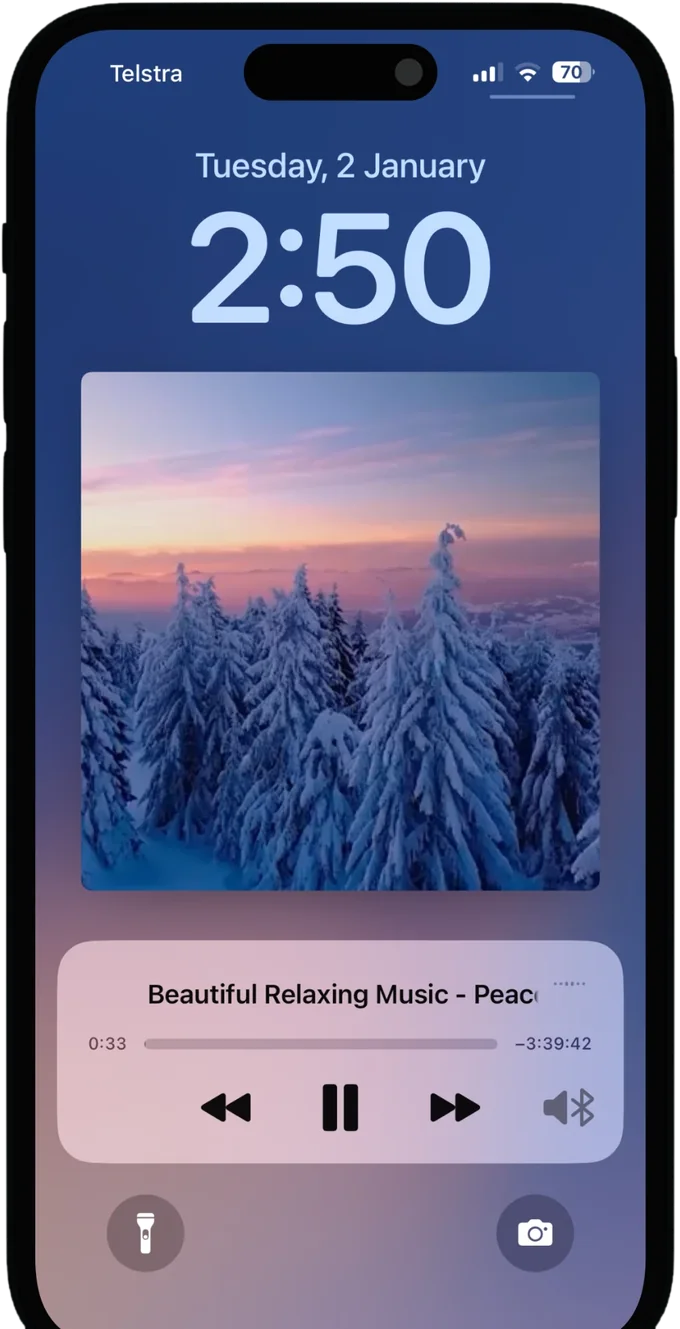
YouTubeX (Twitter)FacebookInstagramTikTokLock your iPhone, switch apps, or drop into Picture-in-Picture (PiP), and your video keeps going. A proper YouTube offline player, with lock-screen controls and AirPlay. Here is how background playback works on iPhone, and why most apps stop at the lock screen.
Playback continues after you lock the phone.
Float the video over any other app. Why PiP fails elsewhere.
Saved videos play on planes, subways, anywhere.
Detects video on the page and offers every available quality.
Progressive files and HLS streams, up to 2160p.
Face ID lock and a hidden folder for private files.
Send to TV, or sync your library across devices.
What people ask before installing. Longer answers live in the guides.
Yes. The app is a free download on the App Store and the download and offline playback features work without a subscription. It is rated 4.4 out of 5 from 1,330 ratings.
It works on any site that plays video in a browser, which covers the large majority of the web. There is no per-site plugin: you open the page in the built-in browser and a download button appears when playable media is detected.
Technically yes, the built-in browser detects YouTube video like any other site. Be aware that YouTube's terms of service do not permit downloading its content, so this is a decision about terms rather than capability. Read the copyright note →
Up to 2160p, which is 4K, where the source offers it. The download menu lists every quality the site makes available and you pick one.
Yes. The app holds a background audio session, so playback continues after you lock the phone or switch apps, with lock-screen controls and AirPlay. How background playback works →
Yes. HLS streams arrive as many small segments rather than one file, which defeats Safari downloads and most Shortcuts. The app assembles the segments into a single playable video. Compare the four download methods →
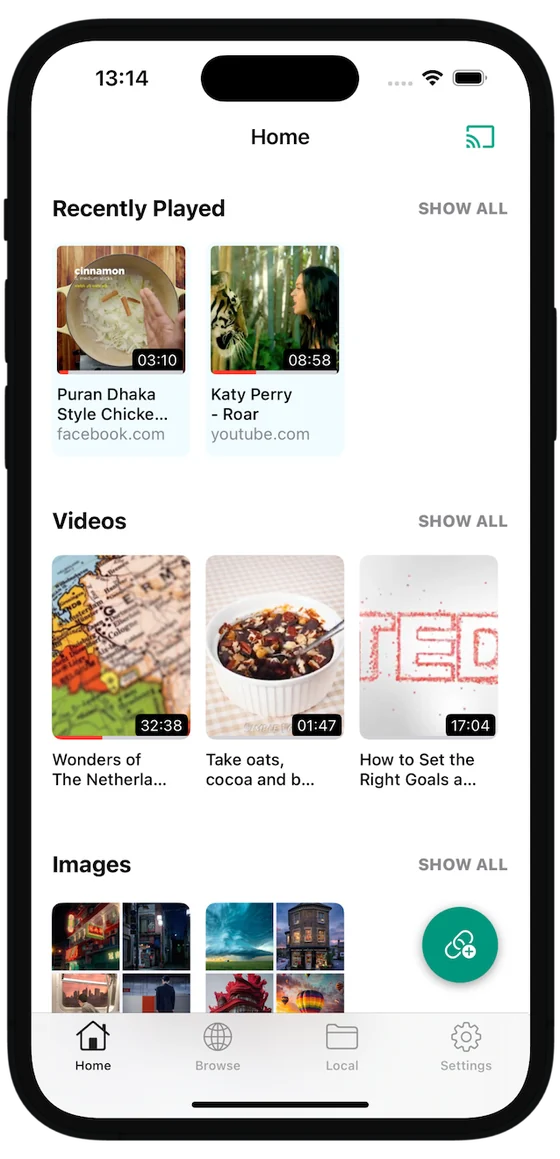
Into the app's own library, sorted into Recently Played, Videos and Images. They stay out of your camera roll and out of iCloud Photos sync, and you can export any of them to Files or Photos. Where downloads go on iPhone →
Yes. A private vault locked by Face ID holds anything you move into it, and those files do not appear in the main library.
Yes, on any video in your library, because the app uses its own player. That avoids the usual reasons PiP fails elsewhere: an app that never implemented it, DRM, or a staged rollout. Why PiP fails in other apps →
Yes. The same free app runs on iPhone and iPad, and an iCloud option syncs your library between them.

Free on the App Store. iPhone and iPad.