
Where do downloads go on iPhone?
Files you download in Safari go to the Files app, under Downloads. Everything else goes somewhere else. Photos and videos land in Photos, offline content from streaming apps stays locked inside those apps, and downloader apps keep files in a private container of their own. iOS has never had one shared Downloads folder, which is why a file you know you saved can seem to have gone missing.
1. Safari downloads: the Files app
Anything you tap a download link for in Safari, a PDF, a zip, an MP4 served as a direct file, goes to the Downloads folder in Files.
- Open Files.
- Tap Browse at the bottom.
- Open iCloud Drive or On My iPhone, depending on where Safari is set to save.
- Tap Downloads.
If the folder is not where you expect, Safari's destination is configurable. Go to Settings › Apps › Safari › Downloads and check whether it points at iCloud Drive or the local device. Files saved to iCloud Drive need a connection to open if they have not been kept locally, which is a second reason a download can look absent.
The short version: Safari files are in Files → Downloads. Photos and videos are in Photos. Streaming downloads never leave their app. If you cannot find something, the app that downloaded it is almost always the answer.
2. Photos and videos: the Photos app
Save an image with a long press, take a screen recording, or use Save Video from a share sheet, and the file goes to Photos rather than Files. Look in Recents, which sorts by capture date and puts new saves at the end.
This trips people up with screen recordings in particular. A recording is a video the system captured, so it behaves like something from the camera, not like a download.
3. Streaming downloads: inside the app, invisible
This is the biggest source of confusion, and Apple's own documentation does not really address it.
When you download an episode in Netflix, a playlist in Spotify or a video in YouTube for offline viewing, the file goes into that app's private container. iOS gives every app a sandbox that no other app, including Files, is allowed to browse. The download is on your device and takes up storage, but there is no path to it.
That is also why the content usually stops working if your subscription lapses or the licence expires. It is not a file you own in any practical sense; it is cached content the app is allowed to play under conditions it enforces.
4. Downloader apps: a private container you can export from
A downloader app also stores files in its own sandbox, but the difference is that it gives you a way out. The video sits in an in-app library, plays offline without conditions, and can be exported to Files or Photos whenever you want it somewhere else.
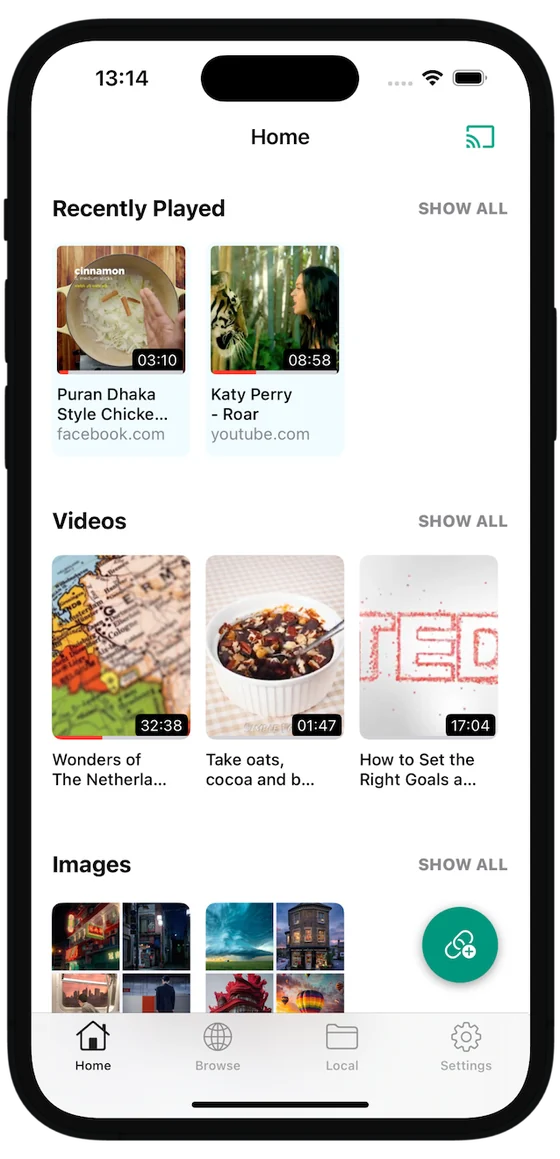
Keeping video in the app has a real advantage: it stays out of your camera roll and out of iCloud Photos sync, so it does not appear on a shared family device. The trade-off is that deleting the app deletes everything in it. Anything you want to keep permanently should be exported.
Free iOS downloader with an offline library you can browse, play and export from. Face ID vault for private files. Rated 4.4 out of 5 from 1,330 App Store ratings.

A file you saved has vanished: what to check
- Search across both. Files and Photos each have their own search, and a file in one will never appear in the other's results.
- Check the Recently Deleted album. Photos keeps deletions for 30 days.
- Look at the app that downloaded it. If it was a streaming or downloader app, that app's library is the only place it exists.
- Check offloaded apps. Settings › General › iPhone Storage shows apps iOS has offloaded to free space. Documents survive an offload, but not a full delete.
Getting a video out of an app and into Files
From a downloader app's library, use the share or export action and choose Save to Files. From Files, a long press then Share › Save Video moves it into Photos. Going the other direction, Photos to Files, works the same way through the share sheet.
Streaming apps generally offer neither, which is the practical difference between content you downloaded and content you rented.
If you are still deciding how to get a video onto the device in the first place, our guide on how to download video on iPhone compares the four available methods. Once it is saved, playing it in the background works differently from streaming too.
Questions
Why can I not find a video I downloaded in the Files app?
Because the app that downloaded it kept the file in its own sandbox. Netflix, Spotify, YouTube and most downloader apps store offline content in a private container that the Files app cannot browse. The file exists, but only that app can open it until you export it.
Can I move a downloaded video into the Photos app?
Yes, if you can reach the file. In Files, long-press the video, choose Share, then Save Video. From inside an app, look for a Save to Photos or Export option. Once it is in Photos it syncs through iCloud Photos and appears on your other devices, which is the opposite of what you want for anything private.